Document signing
The document signing process is started by a web portal capable of communicating with the Web Signer application. An example of such a portal is QES Portal, available at https://www.qesportal.sk.
When the signing process starts, the application displays the first page of the first document.
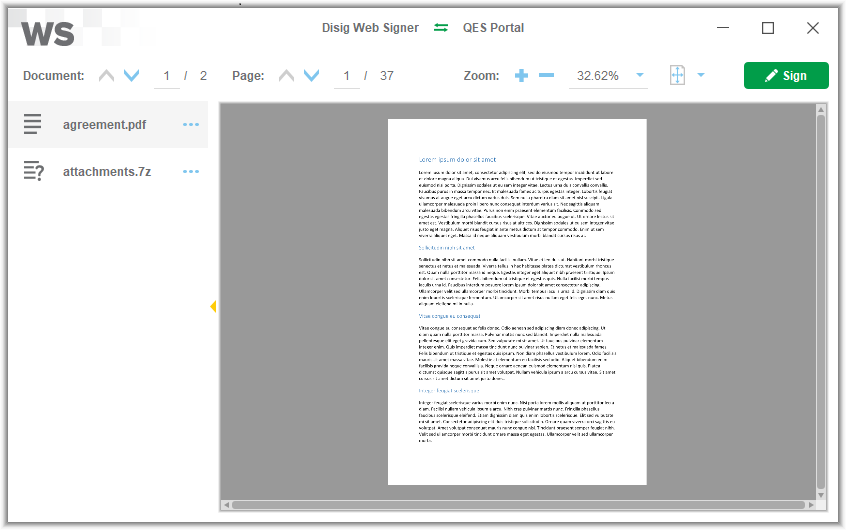
Carefully review the content of all documents and click the “Sign” button. The certificate selection window will be displayed. In this window, first select the “Store” and then pick one “Certificate” from the selected store. You can choose one of the predefined stores or select any PKCS#11 library that provides access to an alternative signing certificate store. The application may ask you to enter the PIN code needed to access the selected certificate store.
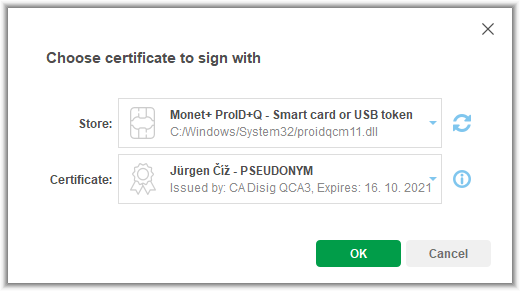
After you select the certificate and click the “OK” button, a dialog window requesting the PIN code for the QSCD device will appear.
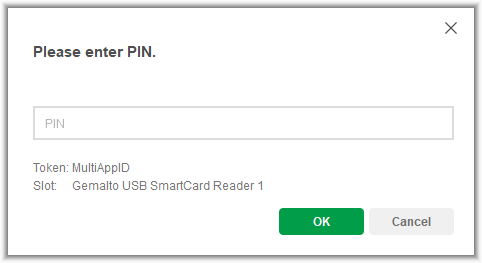
The signing process continues once a valid PIN code is entered. Depending on the QSCD device type, you may also need to enter additional PIN codes.
When the process is completed, a dialog window confirming the successful signing will appear.

The main application window closes automatically when this dialog is confirmed. The signed documents are available on the web portal that started the signing process.